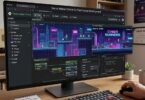

Remix OS is a unique operating system designed to bring the Android experience to desktop and laptop computers. It was developed to bridge the gap between mobile and traditional PC environments by allowing users to run Android apps on a full desktop interface. At a time when mobile computing was becoming dominant, Remix OS aimed to combine the simplicity and app ecosystem of Android with the productivity features of Windows-like systems. It offered users a familiar desktop environment while still maintaining compatibility with Android applications.
Although official development of Remix OS has been discontinued, it remains an important milestone in the evolution of hybrid operating systems. Understanding how it works gives insight into how Android can be adapted beyond smartphones and tablets.
The Concept Behind Remix OS
Remix OS was built on top of the Android-x86 project, which itself is an initiative to port Android to x86-based computers. The core idea behind Remix OS was to transform Android from a touch-focused mobile system into a fully functional desktop operating system.
Traditional Android is designed for small screens, touch input, and vertical usage patterns. Remix OS reimagined this by introducing mouse and keyboard support, resizable windows, taskbars, and a desktop-style interface. Instead of running one app at a time in full screen, users could multitask like they would on Windows or macOS.
This approach made Remix OS especially attractive for users who wanted to run mobile apps like WhatsApp, Instagram, or mobile games on a larger screen while still enjoying a desktop workflow.
How Remix OS Is Built
At its core, Remix OS is based on the Android Open Source Project. However, it modifies several key components to support desktop functionality.
The system uses a modified Android kernel that is optimized for x86 processors commonly found in PCs and laptops. On top of this kernel, the developers added a user interface layer known as the Remix UI. This UI replaces the traditional Android home screen with a Windows-like desktop environment.
Unlike standard Android systems that rely heavily on touch input, Remix OS integrates traditional input devices. It supports full mouse navigation, right-click menus, drag-and-drop functionality, and keyboard shortcuts. This makes it feel more like a traditional PC operating system rather than a mobile OS.
Desktop Experience and User Interface
One of the most defining features of Remix OS is its desktop-like interface. When the system boots up, users are greeted with a taskbar at the bottom of the screen, similar to what you would see in Windows. The taskbar allows quick access to installed applications, system settings, and notifications.
Applications in Remix OS open in resizable windows instead of full-screen mode. This allows users to run multiple apps at the same time and arrange them across the screen. For example, a user can watch a YouTube video in one window while browsing the internet or working on documents in another.
The start menu provides access to all installed apps in a grid layout, making it easy to launch and organize applications. Notifications appear in a separate panel, and system controls like Wi-Fi, volume, and battery are easily accessible from the taskbar.
How Remix OS Runs Android Apps on a PC
The most powerful feature of Remix OS is its ability to run Android applications on desktop hardware. This is achieved through compatibility with the Android runtime environment.
When an Android app is installed or launched, Remix OS translates the app’s mobile-oriented design into a windowed format suitable for desktop use. It maintains compatibility with Android APK files, meaning users can install apps just like they would on a smartphone.
The system uses hardware acceleration where possible, allowing apps and games to run smoothly depending on the capabilities of the computer. Since it is based on Android-x86, it is capable of running on a wide range of Intel and AMD processors.
Multitasking and Productivity Features
Remix OS places a strong emphasis on multitasking. Unlike traditional Android, where multitasking is limited to switching between apps, Remix OS allows multiple applications to run simultaneously in separate windows.
Users can resize, minimize, and rearrange apps freely on the screen. This makes it suitable for productivity tasks such as writing documents, managing spreadsheets, or browsing multiple websites at once.
The system also includes features like file management tools and USB support, which make it more functional for desktop use. External storage devices such as flash drives and hard disks can be accessed easily, just like in Windows.
Boot Options and Installation
Remix OS could be installed in multiple ways. Users could install it directly onto a hard drive as a primary operating system, or they could run it in a dual-boot setup alongside Windows. Another popular option was running it from a USB drive without permanently installing it on the computer.
This flexibility made it accessible to users who wanted to test the system without modifying their existing setup. It also made Remix OS popular among students and casual users who wanted a lightweight alternative to Windows or Linux.
Performance and System Requirements
Since Remix OS is based on Android, it is generally lightweight compared to traditional desktop operating systems. It can run on older hardware with limited resources, making it a good option for low-end PCs.
However, performance depends heavily on the compatibility of hardware drivers and system optimization. Some advanced features or newer applications may not perform as smoothly as they do on native Android devices or modern operating systems.
Despite these limitations, Remix OS was appreciated for its ability to breathe new life into older computers.
Limitations of Remix OS
While Remix OS introduced many innovative features, it also had several limitations. One of the main issues was limited software compatibility outside of Android apps. It could not run traditional Windows or macOS applications unless additional layers or emulators were used.
Another challenge was driver support for certain hardware components. Since it was based on Android-x86, not all PC hardware was fully optimized, which sometimes led to performance issues.
Additionally, the project was eventually discontinued, meaning no official updates or security patches are available today. This limits its usability in modern computing environments.
Legacy and Impact
Even though Remix OS is no longer actively developed, its influence can still be seen in modern operating systems and Android-based desktop solutions. It demonstrated that Android could be more than just a mobile operating system and could function effectively in a desktop environment.
Many of its ideas, such as windowed Android apps and desktop-style Android interfaces, have inspired other projects and even features in newer operating systems and emulators.
Conclusion
Remix OS was an ambitious attempt to merge the mobile Android ecosystem with the traditional desktop computing experience. By offering a Windows-like interface combined with Android app compatibility, it created a unique hybrid system that appealed to both casual users and tech enthusiasts.
Although it is no longer supported, Remix OS remains an important example of innovation in operating system design. It showed how flexible Android can be when adapted beyond smartphones, and it continues to influence the development of modern cross-platform computing solutions.